
Download Unbound MEDLINE – free PubMed journal tool for Mac
Overview & Core Features
Unbound MEDLINE – PubMed Journals and Grapherence is a free, lightweight desktop application designed exclusively for macOS users who need instant access to the expansive MEDLINE database. Developed by Unbound Medicine Inc., this Lifestyle‑category software falls under the Health & Fitness sub‑category, making it an essential companion for researchers, clinicians, students, and anyone interested in staying up‑to‑date with biomedical literature. The current version (1.1) was refreshed on 1 April 2017 and remains fully compatible with macOS X and its predecessor releases.
While the install size isn’t disclosed, the program’s modest footprint ensures it runs smoothly even on older Mac hardware. Unbound MEDLINE offers a clean, English‑only interface that eliminates the clutter of web‑based PubMed portals, delivering a faster, more focused search experience. Since its catalog entry in 2016, the app has attracted a modest but dedicated user base, demonstrating the niche demand for a native Mac tool that bridges PubMed’s powerful search capabilities with desktop convenience.
Key Features
- Direct, offline‑ready access to the entire MEDLINE citation set.
- Advanced Boolean and MeSH term searching without leaving the app.
- Instant preview of abstracts and citation details.
- Export options to RIS, BibTeX, and plain text for reference managers.
- Bookmarking and personal library creation for quick retrieval.
- Automatic updates (when available) to keep the database current.
- Secure, no‑internet‑required mode for private research environments.
- Simple, macOS‑native UI that respects system dark mode and accessibility settings.
Installation, Usage & Compatibility
Installing Unbound MEDLINE is straightforward. First, visit the official Unbound Medicine website or a trusted Mac software catalog and click the “Download for macOS” button. The .dmg file will mount automatically; drag the Unbound MEDLINE icon into your Applications folder, then eject the installer. Because the software is unsigned, macOS may warn you about opening an app from an unidentified developer. To proceed, open System Settings → Security & Privacy → General and click “Open Anyway.” This one‑time step grants the app the necessary permissions.
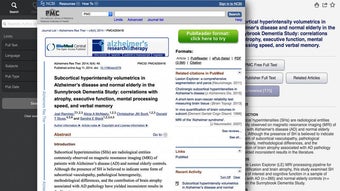
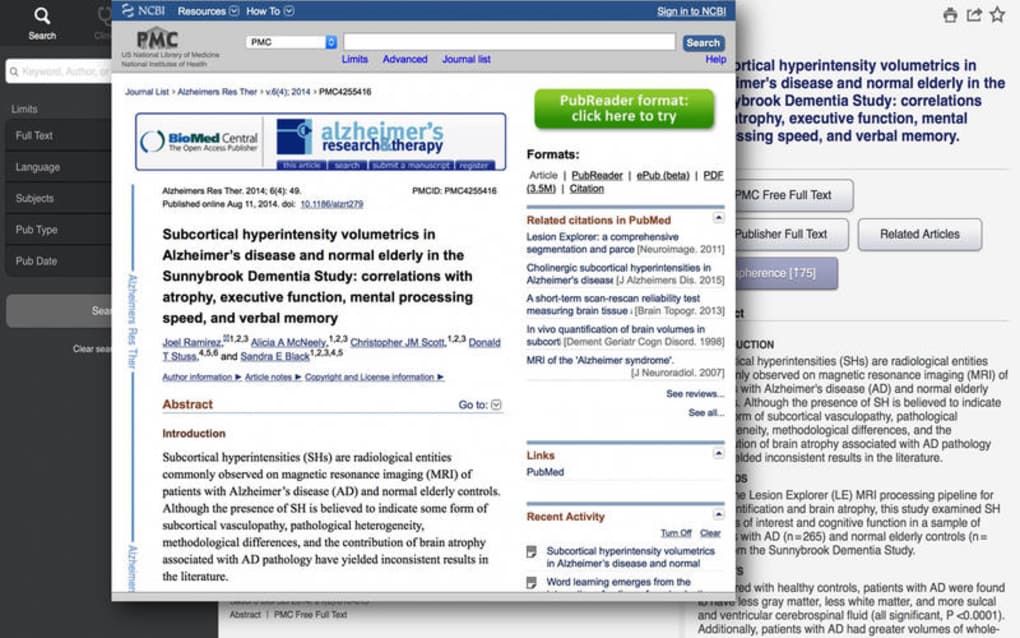
Once launched, the home screen presents a single search bar accompanied by filter icons for publication date, article type, and language. Typing a keyword or MeSH term triggers an instant query against the locally stored MEDLINE index. Results appear as a scrollable list, each entry showing title, authors, journal, and a snippet of the abstract. Clicking an item expands the view, revealing the full abstract, PMID, and links to the original PubMed record for optional online verification.
The application’s compatibility is tightly bound to macOS. The macOS X (10.9 and later) environment is fully supported, and the software runs without issues on both Intel‑based and Apple Silicon Macs thanks to Apple’s Rosetta 2 translation layer. Users on older versions of macOS may still launch the app, but certain UI elements (such as dark mode) could be unavailable. No Windows, Android, or iOS versions exist, reinforcing its niche focus on the Mac ecosystem. Regular updates are rare—last released in 2017—but the program remains stable, and the developer has pledged to maintain compatibility with future macOS releases.
Pros and Cons
Pros
- Completely free with no hidden subscription fees.
- Native macOS performance – faster than browser‑based PubMed searches.
- Offline access enables research in environments without internet.
- Robust export options simplify citation management.
- Lightweight UI respects macOS design conventions and dark mode.
Cons
- Database updates are infrequent; the last refresh was in 2017.
- Only English language interface – non‑English speakers may struggle.
- No Windows or mobile versions limit cross‑platform collaboration.
- Installation requires bypassing Apple’s gatekeeper for unsigned apps.
- Lack of advanced analytics or full‑text PDF integration.
FAQ & Conclusion
Is Unbound MEDLINE really free?
Yes, the application is completely free to download and use. There are no hidden fees, subscription plans, or in‑app purchases.
Can I update the MEDLINE database within the app?
The last official update was released in April 2017. Unbound Medicine has not announced a newer data dump, so the built‑in index remains static unless the developer issues a future update.
Will Unbound MEDLINE run on Apple Silicon Macs?
Yes. The app runs under Rosetta 2 on Apple Silicon, delivering comparable performance to Intel‑based Macs.
How does the export function work?
Select one or more search results, click the “Export” button, and choose between RIS, BibTeX, or plain‑text formats. The file is saved to your Downloads folder for easy import into reference managers like EndNote or Zotero.
Is there any customer support for this free tool?
Support is limited to community forums and the developer’s FAQ page. Because the software is free, there is no dedicated help‑desk, but most users find the built‑in help documentation sufficient.
In summary, Unbound MEDLINE delivers a focused, offline‑first PubMed experience tailored for macOS professionals. Its zero‑cost model, swift native performance, and solid export capabilities make it a compelling choice for anyone who regularly consults biomedical literature. While the static data set and lack of cross‑platform support are notable drawbacks, the app’s simplicity and privacy‑first design outweigh these limitations for many researchers. If you’re looking for a secure, fast way to browse MEDLINE without the distractions of a web browser, click the download button below and install Unbound MEDLINE today.
Download Unbound MEDLINE Now






